Hey fellow travelers—Greece is amazing, but picking an eSIM that actually holds up for maps, ride bookings, and emergencies (not just “scrolling in Athens”) can be a pain. In this guide, I’ll help you choose the best eSIM for Greece with real-world island coverage in mind and a practical data-size plan for your trip.
What “best” means in Greece (maps, rides, emergencies)

Islands aren’t just pretty—signal changes fast
On the Greek islands, mobile coverage tends to be strongest:
- In/near towns, ports, and busier roads
- Around hotels with better reception windows
- Closer to main viewpoints/harbors
Coverage can get patchier:
- On quieter roads between villages
- In valleys or behind hills
- Along some beach roads and along the “wrong side of a ridge”
To make this concrete, these are the kinds of places where you’ll feel the difference between “meh” coverage and “good enough” coverage:
- Santorini
- Paros
- Naxos
- Milos
- Mykonos
- Rhodes
- Crete
- Athens
- Thessaloniki
- Corfu
Data isn’t just data—maps and rides are the real test
For most travellers, the eSIM isn’t about watching videos all day. It’s about:
- Maps while you walk (turn-by-turn or live location)
- Ride app lookups (pickup location + confirming your driver)
- Messaging (WhatsApp/iMessage/SMS where you can)
- Occasional uploads (photos, sending location pins, sharing “I’m here”)
The tricky bit: even if your eSIM has enough data, a weak signal can make maps “laggy” and ride bookings feel unreliable.
Emergency use needs more than just connectivity
For emergencies you want three things working fast:
- Your ability to call/do emergency services via cellular
- Your ability to share location (even if it’s not perfect coverage, you want the phone to be usable)
- Your key info ready offline (hotel address in text, not just in Maps)
In Greece (like across the EU), 112 is the general emergency number. I also recommend you keep:
- A screenshot of your accommodation address + phone number
- A screenshot of where you are in maps (your pinned location)
- At least one trusted contact who knows your itinerary
The quick picker: Airalo vs Yesim vs Saily (and what to look for)
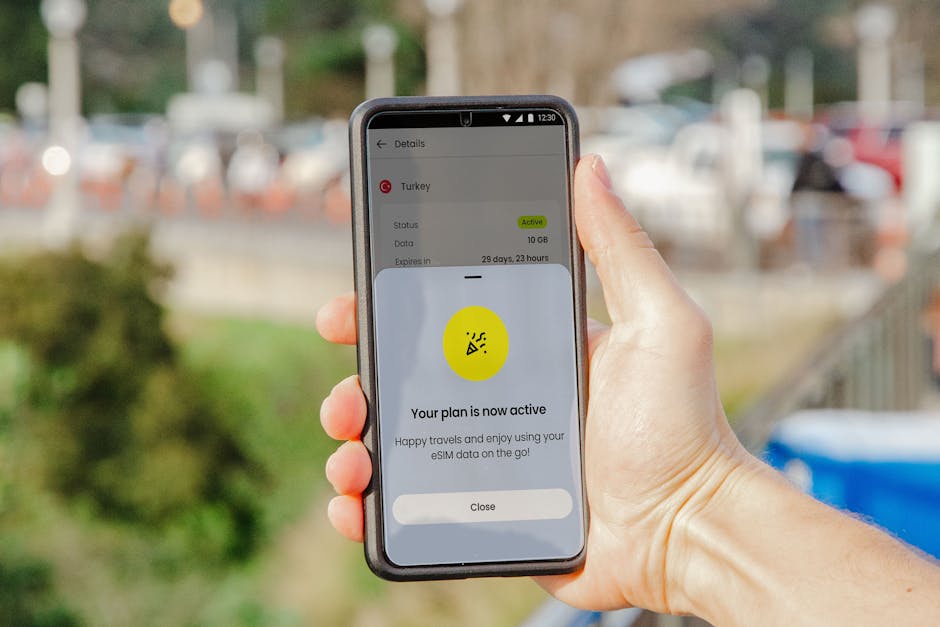
Look for plans that survive island-hopping (not just one city)
When you’re bouncing between islands and mainland, I prioritize these plan features:
- Validity length that covers your whole trip (including travel days)
- Ability to top up (or buy another bundle) if your timing gets messy
- Hotspot support if you plan to use your laptop/tablet or share with a partner
- A speed policy you can live with (you don’t need “fast enough for Netflix,” but you do need maps and messaging to behave)
One honest approach I’ve used: I’ll pick whichever plan gives me enough data and enough validity that I’m not constantly thinking about when I’ll run out.
Check the “data rules” that affect maps and ride apps
Different eSIM plans describe things differently, so don’t just compare the GB number. Scan for:
- Speed throttling after a certain amount (some plans slow down noticeably after you hit a cap)
- Whether hotspot is allowed (this can matter more than you expect)
- Whether you can manage/add data easily from your phone
If you’re using turn-by-turn navigation, slowdowns can translate into “map refresh takes forever” and your battery drains faster.
My practical pick by travel style
Here’s how I’d choose depending on how you travel.
- If you’re mostly on one island + day trips: prioritize a plan with enough validity and a modest-but-reasonable data amount (so you don’t waste money on a huge bundle).
- If you’re island-hopping a lot (ferry day after ferry day): prioritize top-up flexibility and a validity window that doesn’t cut it too close.
- If you’re a rides-first traveler (you rely on booking taxis/ride apps frequently): you want the eSIM to behave under “signal flicker,” which usually means you need a plan that lets your phone stay connected reliably rather than a “cheapest-per-GB” option.
If you’re deciding between the big common options, this is how I personally think about them:
- I’ve found Airalo handy when I’m trying to match data + days without overthinking, especially on trips where I know I’ll be using maps daily.
- Yesim is one I consider when I want a straightforward setup and I’m mostly using data for navigation and messaging rather than heavy streaming.
- Saily is worth a look when you want a plan you can refresh with less hassle if your trip stretches longer than expected.
(Still: whatever you pick, plan for spotty reception moments—because that part is mostly about location, not the brand name.)
Data size calculator for a typical Greece trip

Use this rule of thumb (not wishful thinking)
Your data use usually breaks down like this:
- Maps + navigation: the big variable. If you’re actively using live location, it adds up.
- Messaging + calls over apps: usually not huge, but it depends on how much audio/video you do.
- Ride app activity: usually modest, but it’s frequent.
- Social media + backups: can quietly eat your allowance.
If you’re unsure, don’t gamble with the minimum. In Greece, you’ll often end up needing maps more than you planned—especially if:
- you’re walking around towns with confusing alley layouts
- you’re changing ferry/transfer plans
- you’re trying to get to a viewpoint before sunset
Rough data ranges that work (maps + rides + normal life)
These are “I want this to feel comfortable” ranges. Adjust up if you’re a heavy video or hotspot user.
- Light use (mostly offline maps + occasional data): ~3–5 GB for 7–8 days
- Normal use (live maps daily + messaging + some social): ~6–10 GB for 7–10 days
- Heavy use (lots of navigation + ride apps + lots of uploads/social): ~12–18 GB for 10–14 days
Example bundles (so you can copy/paste a plan idea)
Here are a few realistic examples you can model:
- 7 days (Athens + 1 island, daily navigation): 8–10 GB
- 10 days (2–3 islands + mainland, ferry day after ferry day): 10–14 GB
- 14 days (multi-island crawl, frequent ride app use, lots of photos shared): 15–20 GB
When you should go bigger (or change tactics)
Go bigger if any of these are true:
- You’ll use hotspot for another device
- You plan to upload lots of photos/videos regularly (not just when you find Wi‑Fi)
- You’re doing a lot of video calls or live streaming
Also, you can save data without sacrificing sanity by using offline maps properly (more on that next).
How to keep maps and rides working even with spotty signal

Download offline maps before you leave Wi‑Fi
Do this early—before you’re standing at a port trying to find the bus stop.
What I recommend:
- Download offline maps for the islands/regions you’ll visit
- Pin your hotel, the main ferry port, and any common meeting points
- Take screenshots of key routes if you know the area is labyrinth-like (some island towns are no joke)
If your phone loses signal for a short period, offline navigation can still help you re-orient until the bars come back.
Ride bookings: don’t rely only on “perfect GPS”
When reception flickers, ride apps and pickup coordination can feel flaky—not because your phone is broken, but because your location is bouncing.
To handle it:
- Share your exact pinned location with the driver/partner
- Use a nearby landmark for pickup (clock tower, main square, hotel entrance)
- Screenshot the address of your accommodation (so you can paste it back fast)
- If possible, book rides from places with clearer reception (near main roads/ports)
And if you get stuck:
- Switch to offline maps + manual walking directions for the last bit to the main road
- Try again after 5–10 minutes—often the “signal moment” passes
Keep emergency info offline so you’re not searching in a panic
This sounds basic, but it’s lifesaving:
- Save 112 in your contacts
- Save your hotel address in notes (copy/paste friendly)
- Save two ways to reach the next help point (e.g., “walk to main road + ask at hotel desk,” “call hotel from street phone if needed”)
A good trick: if you arrive at your accommodation and only have 10 minutes before you head out, still spend those minutes saving the emergency basics.
Troubleshooting on the ground (when things go weird)
Even with the “right” plan, things can misbehave. Here’s how to respond without spiraling.
If your eSIM won’t register (first 5 minutes)
If data isn’t working right away:
- Check that your eSIM is enabled in your mobile network settings
- Toggle Airplane Mode on/off
- Restart your phone (yes, it’s old-school, but it fixes registration hangs)
- If you have multiple SIMs, make sure the eSIM is the one carrying data
If you’re in a valley or near a beach with weak coverage, step outside toward the nearest main road/town and try again.
If you run out of data mid-trip
This is where you avoid “relying on Wi‑Fi that doesn’t exist.”
My approach:
- Top up as soon as you realize you’re going to hit the limit
- Don’t wait until you have no navigation left
- Keep offline maps refreshed (if you travel to a new area, grab that region when you’re near Wi‑Fi)
Also, if you’re constantly updating social media, dial that back. You’ll still be able to use maps and messaging.
What coverage usually looks like (so you don’t blame the plan)
A quick reality check by place type:
- Town centers + ports: generally the most reliable
- Hotel areas with open sightlines: often better than you’d expect
- Remote beaches / roads between villages: most likely to be patchy
- Ferries (moving): you may get bursts, but don’t assume steady data
If you know your day includes a long stretch through lower-coverage terrain, be extra intentional:
- download offline maps in advance
- pin your next stop
- plan to navigate with offline for part of the route
Final thoughts (so you can travel without second-guessing)
The best eSIM for Greece isn’t the one with the biggest number of GBs—it’s the one that matches your trip length, supports your real usage (maps + rides), and won’t leave you stranded when coverage dips on islands.
If you want a simple takeaway, remember:
- Prioritize validity + top-up flexibility for island-hopping
- Buy enough data for live maps (offline helps, but don’t plan to rely on it 100%)
- Prepare an emergency-ready setup (112 + hotel info offline)
Pick a plan that fits how you actually travel, download offline maps before you need them, and you’ll spend way more time enjoying Greece—and a lot less time troubleshooting your phone at the port.