Hey fellow travelers—I'm always chasing reliable data when I’m bouncing between cities and the long stretches in between in Australia and New Zealand. In this guide, I’ll compare eSIMs by roaming approach, explain when offline maps truly save you, and help you choose something that’ll hold up on road trips and in regional towns.
How I choose the best eSIM for AU + NZ (coverage first)
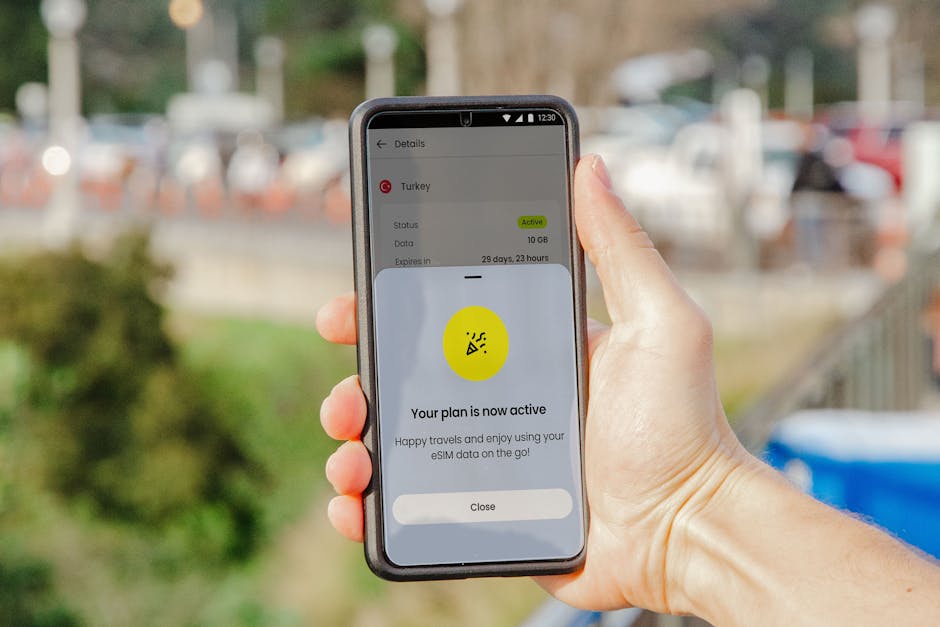
Let’s be honest: the “best” eSIM isn’t the one with the biggest number of gigabytes. It’s the one that stays usable when you’re driving through places where bars on your screen suddenly stop.
Roaming vs fixed network: what to look for
Not all eSIMs behave the same. When you’re in Australia or New Zealand, what matters most is how the provider sources network access.
Here’s what I look for when comparing plans:
- Roaming approach (multi-network vs single-network): Prefer eSIMs that clearly operate across multiple local networks (or at least don’t lock you to one). This usually helps when reception changes as you move.
- “Data-only” reality: Most travel eSIMs are data-first. That’s fine for maps, WhatsApp, iMessage, and uploads—just don’t assume traditional voice/SMS will work the way your home SIM does.
- Speed expectations: Some plans advertise fast speeds, but performance can vary based on congestion. If the plan has any speed caps or “fair use” language, read it.
- Regional reliability notes (or the lack of them): If a listing is vague—no mention of network quality beyond “coverage in Australia”—treat it as a red flag.
Data speed and throttling: the silent deal-breaker
On paper, two plans can look identical. On the road, they don’t.
Practical things to check:
- Is the plan truly “high-speed” or “high-speed until X”?
- Does it mention throttling after a threshold? (Even “unlimited” can come with limits.)
- How you’ll use data: If you’ll stream music, use rideshare apps, or upload photos on the move, you’ll feel slowdowns faster.
- Hotspot rules: Some eSIM plans allow tethering, others restrict it. If you’re using the car’s Wi‑Fi screen or sharing with a passenger, verify hotspot support.
Validity dates and how you’ll actually use data
Australia and New Zealand are both “drive for ages, then stop” destinations. Your data use spikes on arrival days and dips once you’re settled.
When comparing eSIM validity and data bundles, I recommend:
- Match validity to your itinerary, not your calendar: A plan that looks perfect for 10 days can be painful if you only need 4 days of it and the rest expires.
- Account for travel days: Airport arrival + setup + downloading offline maps can burn data (and time) on the same day.
- Choose for your offline strategy: If you’ll download offline maps properly, you can usually get away with less data for most of the trip.
Offline maps: how to keep driving when signal drops

There’s a big difference between “I have data” and “I can still navigate.” Offline maps bridge that gap, especially in regional areas.
Download the right regions before you leave Wi‑Fi
I’m not against using live maps—but if you’re going beyond major cities, offline planning is the difference between confidence and stress.
What I do before leaving town:
- Download a buffer around your route (not just the start and end points). Think “the next 30–60 minutes of driving at a time,” depending on how your trip looks.
- Save your key destinations offline: parking areas, campgrounds, trailheads, and any “must find” addresses.
- Grab transit/schedule context if you need it: If you’re catching ferries or doing anything time-sensitive, offline knowledge helps.
Quick note: offline maps are great, but they’re not magic. If your route changes last minute (roadworks, detours), you’ll still want some live data.
Navigation extras: saved places, toll roads, and campsites
Offline maps handle directions well, but they don’t always replicate everything you’d get from the live app.
So I set myself up like this:
- Use offline maps for directions + ETAs when possible (depending on the app).
- Keep offline screenshots for anything critical: campground check-in details, access rules, gate opening hours.
- Don’t rely on live reviews on a weak connection: if you care about a place, save it ahead of time.
Battery and hotspot sanity checks
If you’re using navigation constantly, your phone becomes your co-pilot.
To avoid the “no data + dead battery” combo:
- Use a reliable car charger (and test it early).
- If tethering, test in a place with decent signal first. If hotspot performance is flaky in the city, it’ll be worse out of town.
- Lower background usage: syncing apps, cloud backups, and photo uploads can quietly drain data and battery.
Road-trip reality check: where regional towns test your plan

Australia and New Zealand both have plenty of full-signal moments. But the real test is what happens when the road turns quiet.
A coverage-test list you can use while comparing
When I’m deciding on an eSIM, I sanity-check it against the kinds of places where “pretty good in the city” doesn’t translate to “usable on the highway.”
Use this list as a practical checklist while you’re comparing plan descriptions, user feedback, and coverage notes:
- Sydney
- Melbourne
- Brisbane
- Perth
- Adelaide
- Hobart
- Canberra
- Auckland
- Wellington
- Christchurch
- Queenstown
- Rotorua
- Nelson
- Alice Springs
- Milford Sound
If a provider’s documentation and reviews don’t give you much confidence for regional towns like these, I’d personally tighten the offline approach (more downloads, less reliance on live traffic).
Signal-hungry moments (and how much data they really take)
Some activities are “data-hungry” even if you feel like you’re only using navigation.
Common culprits:
- Ride-share and delivery apps (even when you aren’t streaming)
- Messaging with lots of media (sending photos while driving)
- Uploading backups to cloud storage
- Live music streaming
If you’re doing any of the above, bump your data allowance—or be strict about only doing it at stops with stable Wi‑Fi.
What ‘reliable’ should mean to you
Here’s how I translate “reliable” into something measurable:
- Data works for navigation most of the time even if speed isn’t perfect.
- Messenger/WhatsApp calls aren’t constantly failing. (If they are, you’ll feel it.)
- You can still load maps and get route guidance without waiting ages.
- Tethering doesn’t collapse immediately.
If you’re the kind of traveler who can plan offline and tolerate occasional slow loading, you can be more flexible. If you need near-constant connectivity for work, you should pick the plan with the strongest roaming reputation and be more conservative with your data plan selection.
My practical shortlist (by trip style)

Instead of pretending one plan is best for everyone, I think in terms of trip style.
This is where you’ll make the biggest difference by matching the eSIM to how you’ll actually travel.
One eSIM that covers both countries (best for most people)
If you’re doing a true AU + NZ loop—arrive, drive, fly, repeat—this is usually the simplest setup.
What I’d prioritize:
- A combo plan that includes both Australia and New Zealand so you don’t scramble mid-trip
- Clear validity windows so you’re not paying for unused time
- Straightforward data bundles that are easy to estimate
When I want a “set it and forget it” option for both countries, Airalo is one I tend to look at first—especially when I’m trying to keep the setup simple.
Two separate eSIMs (best if you’re price-hunting)
If you’re splitting your trip into two distinct phases (Australia first, then New Zealand), buying two country-specific eSIMs can sometimes be a better fit.
The trade-off is more admin:
- More setup steps (activating and tracking two plans)
- More chances to mess up validity timing
- But potentially more targeted data for each leg
This style is also useful if you know you’ll only need heavy data in one country (for example, a longer road trip in Australia and shorter city time in New Zealand).
I’ve used Yesim for these “two-phase” kinds of trips when I want flexibility and a simple way to pick the right bundle per country.
Short stay + light use (best if navigation is your main need)
If you’re mostly in major cities, using Wi‑Fi often, and relying on offline downloads for navigation, you don’t necessarily need the biggest data amount.
In this scenario, I’d focus on:
- Enough data for setup + map downloads
- A plan that won’t expire before you’ve used it
- Reliability that keeps messaging usable (even if streaming is occasional)
For shorter itineraries where I mainly want reliable navigation and basic messaging without overbuying, I sometimes pick plans from Saily.
Before you land: a quick setup checklist to avoid ‘no data’ day
Nothing ruins a good trip like landing, installing an eSIM, and realizing you can’t get online when you need it.
Plan your activation window
Most eSIMs make you choose when the clock starts.
To keep it smooth:
- Activate only when you have your phone ready (installed, tested, and configured).
- Double-check whether the plan starts on purchase or on activation.
- Leave yourself buffer time on arrival day in case setup takes longer than expected.
Do a test in the city before you go rural
Even if your plan is “supposed to work everywhere,” your first drive day should be boring.
My rule:
- Test data and navigation in a normal-signal area (major city or near a hotel).
- Confirm that messaging apps work (not just browser pages).
- If you plan to hotspot, test tethering immediately.
If something feels off in the city, don’t assume it’ll magically improve out of town.
Keep a backup (paper map or offline download)
You don’t need to be paranoid—you just need redundancy.
Backup options that actually help:
- Offline maps downloaded for your likely route
- Offline lists of your must-find addresses and pickup points
- A paper backup for the one or two legs you care about most
This isn’t about fear. It’s about keeping your road-trip pace instead of stopping to troubleshoot.
Final thoughts
If you want the best eSIM for Australia and New Zealand travel, shop like a road-tripper, not like a tourist. Prioritize roaming approach and real regional usability, build a strong offline map buffer, and test everything before you head out into the quieter stretches.
If you tell me your rough route (how many days in each country + whether you’ll be driving inland), I can help you narrow it down to the right data style and validity window.